Technology
TrueNAS Scale - Infiniband
Well, I have been wanting to get infiniband working for a while. I decided today was as good of a time as any.... So, I made it happen.
Home Assistant – Programmable Thermostat GUI – Part 2
A while back, after converting my primary thermostat over to z-wave, I found a creative way of managing my thermostat’s schedules using the scheduler-card.
Well, I recently installed a new mini-split for my bedroom/office, and needed to integrate and maintain my schedules via home assistant. So, I decided to redo my schedules a bit.
I found the scheduler-card has a “make-scheme” button, which is far more intuitive for creating schedules then what I put together in PART 1. In hindsight, this feature existed then as well…
40Gb Ethernet Cost and Benchmarks
A while back, you may have seen my post for my 10/40GBe Network Upgrade. However, you were likely disappointed like myself, due to the lack of any actual 40GBe test results.
Well, today, I have managed to get 40Gbit point to point connectivity from my PC, to my Server, and I have prepared test results!
Adding "Bifurcation" to a Dell R720XD
Wait, the R720XD doesn’t support bifurcation?
And- you would be correct by saying that.
However- There are special PCIe cards you can acquire, which will perform the bifurcation.
Credit for this idea goes to THIS POST which was brought to my attention by a fellow redditor. (I couldn’t find the comment from a month ago..)
As a note- this isn't specific to the R720XD, this guide/hardware should work in any hardware with the proper PCIe slots, which does not support bifurcation out of the box.
TrueNAS Scale - Use Vanilla Docker
How to enable and leverage the vanilla docker built into TrueNAS Scale.
Unraid Vs TrueNAS SCALE 2021
Often, I see a bunch of posts where someone is having a tough time considering between Unraid, or TrueNAS. so, I am going to write a quick summary based on my experiences, and recommendations.
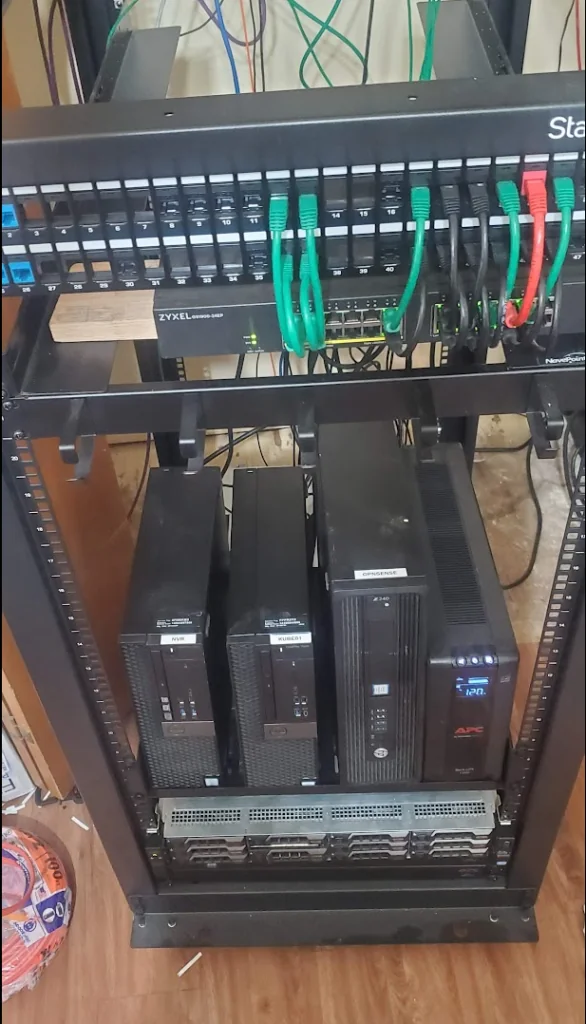
Rack em up - Adding a proper rack
I have a few pieces of enterprise gear for my home network. I have my server, a few 10/40G POE switches, and some other odds and ends. So far, its been stacked on boxes and buckets inside of my spare bedroom’s closet.
So, over the last two weeks, I started a project to clean everything up a little bit.
Fireplace Automation - Part 3
The goal of this article, is to simplify everything as much as possible. Simpler automation, is more reliable automation generally.
Full local Z-Wave HVAC Control
Introduction
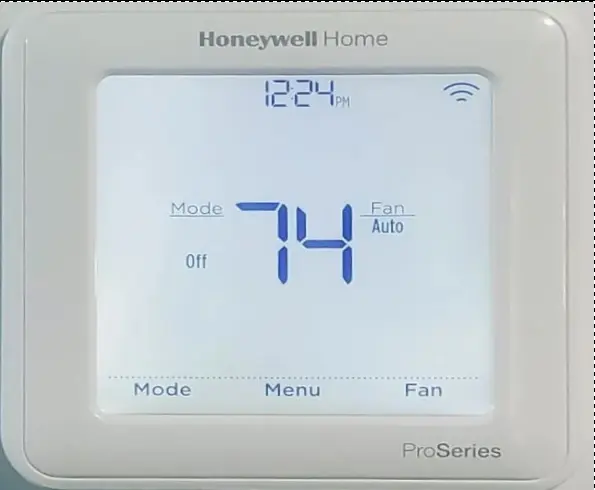
My house has had a Emerson Sensi thermostat for the last 6 or 7 servers. While, this thermostat has served its purpose, and worked reliably (locally), I have had the ongoing issue of having to integrate it into my Home Assistant by using it through the Smart Things Integration. This cloud integration randomly stops working, and does not give very much warning regarding its status.
Normally, this wouldn’t be a huge issue, but, a few years back, I automated my fireplace. So, my fireplace will kick on during the day, to avoid heating the entire house, saving energy. Since, the fireplace bases its temp on the MAIN thermostat located in the center of the house, its important to have somewhat accurate details.
So, I have decided to upgrade both the fireplace, as well as my thermostat, to leverage z-wave.
10/40G Home Network Upgrade Project and Costs
This is the original documentation for when I deployed 10G out to my network.
Portable 2.4Kwh Power Supply / UPS
So, I am planning a camping trip later this year… and I thought, it sure would be nice to have a fan blowing on me while I am sleeping….
After I did some research, I realized it’s a bit more complex then putting a few cheap lead acid batteries together. I also didn’t want to run a generator all night long.
How to convert your physical gaming PC into an Unraid VM w/Passthrough
Table Of Contents
Automate Holiday Lighting using Home Assistant
This week, I started installing WS2813 individually addressable LEDs around the house. I made a few simple patterns containing colors relevant to Thanksgiving and Christmas.
After manually turning on the lights for the 3rd day in a row… I thought to myself… This is automatable. So- I started down the quest to make it happen.